Trick to Change Animation Speed in Android Smartphones
If you are gaming geek and want to experience a faster animation speed in your Android smartphones despite using a low configuration device. You can do so by using change Animation Speed in Android feature. You can change the device’s animation scale. Enabling the will make your smartphone feel faster.
Read Also : Now You Can Permanently Hide WhatsApp Chats : Here’s How
In order to enable the setting, follow the steps :
You May Also Read
1) Go to Settings > System > Developer options.
2) Scroll down the list to find the necessary options (you’ll need to have first enabled Developer Mode).
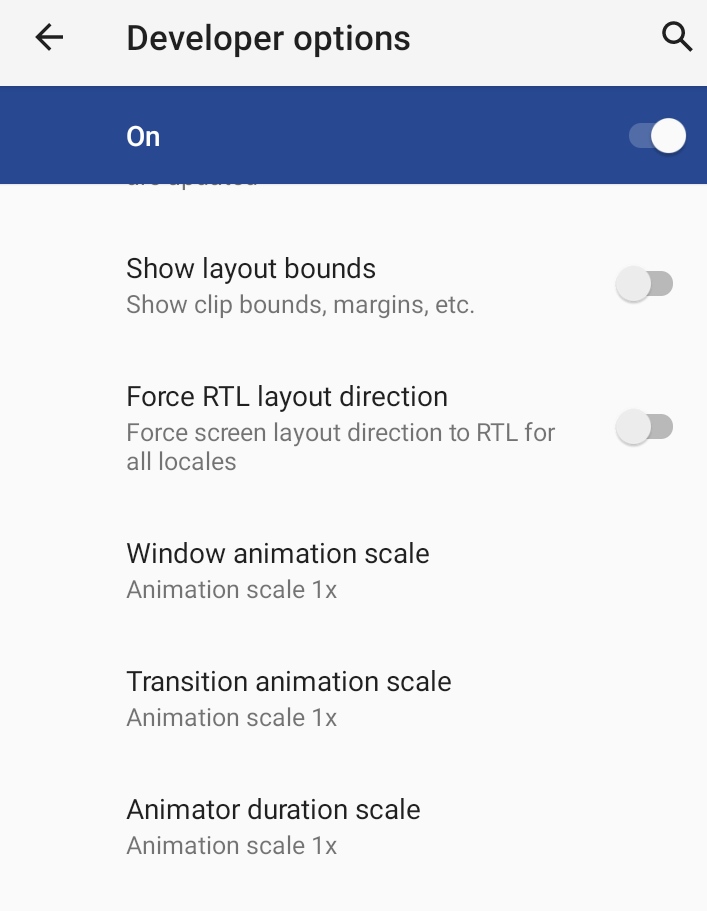
3) Change the Animation Duration Scale from 1x to 0.5x